When a website takes several seconds to load, visitors rarely stop to think about what is happening behind the screen. They simply notice that the page feels slow. This is where understanding how does a content delivery network speed up websites becomes important. A Content Delivery Network, commonly called a CDN, helps websites deliver images, videos, stylesheets, JavaScript files, fonts, and other frequently requested content from servers positioned closer to users.
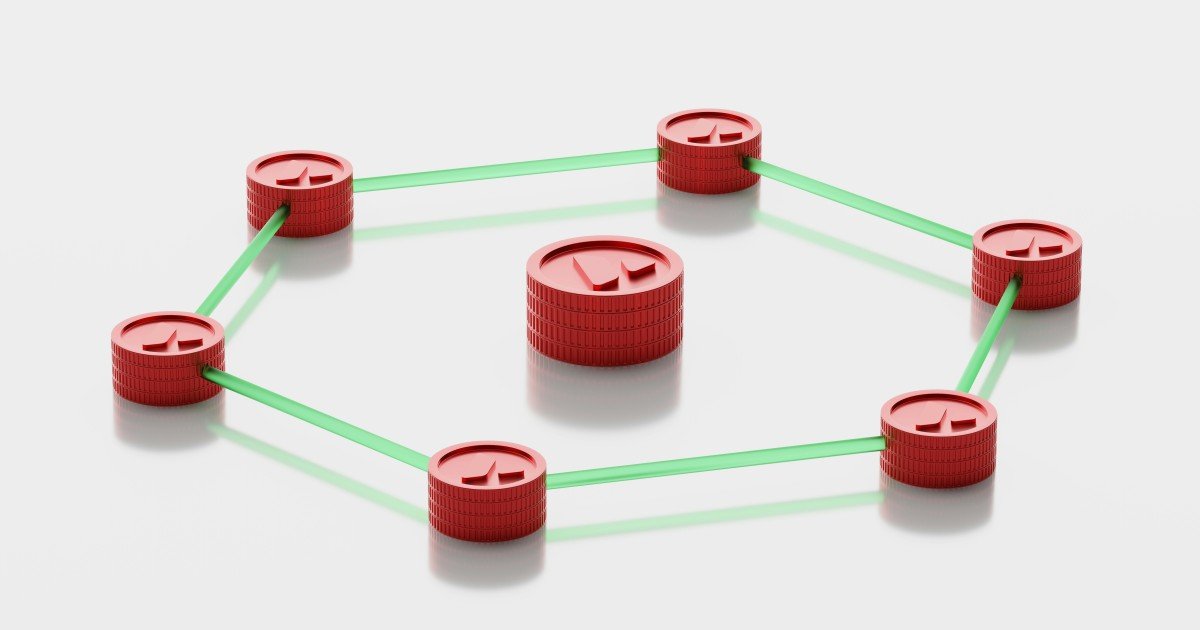
The basic idea is surprisingly simple. Instead of making every visitor travel all the way to one central server to retrieve the same files, a CDN stores copies of eligible content at multiple locations around the world. When someone requests a webpage, the CDN can often serve those files from a nearby edge location.
Imagine a website whose main server is located in one country while its visitors are spread across India, Europe, North America, and Southeast Asia. Without a CDN, many requests may need to travel long distances before the browser receives the required resources. With a CDN, commonly requested static resources may already be available closer to the visitor.
That difference can affect loading speed, responsiveness, bandwidth consumption, and the overall experience of using a website.
A CDN does not magically make every part of a website faster, however. Dynamic requests, database operations, poorly optimized code, oversized images, slow hosting, and inefficient third party scripts can still create bottlenecks. The real value of a CDN comes from reducing unnecessary distance and repeated work in the delivery process.
What Is a Content Delivery Network
A Content Delivery Network is a distributed network of servers designed to deliver web content from locations that are geographically and logically closer to users.
A traditional website may have an origin server that stores the original application, files, and data. Every visitor ultimately depends on that infrastructure for some part of the browsing experience.
A CDN adds another layer between the visitor and the origin.
The simplified journey looks like this:
Visitor → CDN edge server → Origin server when necessary
If the requested resource is already cached at the edge, the CDN may deliver it without contacting the origin server.
For example, suppose thousands of people request the same website logo. Sending that logo repeatedly from the origin server is unnecessary if the file does not change frequently. A CDN can store the file at edge locations and serve it directly to subsequent visitors.
This approach is especially useful for resources such as:
- Images
- CSS files
- JavaScript files
- Web fonts
- Videos
- Downloadable files
- Static HTML in suitable configurations
- Other cacheable assets
The important concept is distribution. Instead of depending on one physical location for every request, a CDN uses a network of strategically positioned servers.
How Does a CDN Speed Up Websites
The biggest reason a CDN can improve website speed is that it reduces the distance and amount of work involved in delivering content.
When a user requests a resource, the CDN determines an appropriate edge location and checks whether the requested content is available there.
If it has a valid cached copy, the CDN can respond directly.
If the content is not cached, the CDN may retrieve it from the origin, depending on the configuration, and then store it for future requests when caching is appropriate.
Several mechanisms work together to create the performance improvement.
Content Is Served From Nearby Edge Locations
Physical distance matters in networking.
Data cannot travel instantaneously. A request and response must move through networks, routers, switches, and other infrastructure.
A visitor in India accessing content from a server located thousands of kilometers away may experience more network latency than a visitor located much closer to the origin.
A CDN places edge servers in many locations.
The visitor does not necessarily connect to the geographically closest server in a simple straight-line sense. Modern traffic management considers network conditions, availability, routing, and other factors.
The result is that the request can often be handled through a more suitable delivery point.
Caching Reduces Repeated Requests to the Origin
Caching is at the heart of many CDN performance improvements.
Suppose a website has a large image used on thousands of pages. Without caching, the origin infrastructure may repeatedly handle requests for that image.
A CDN can cache the image.
Once the content is available at an edge location, subsequent users requesting the same cacheable resource may receive it directly from that location.
This reduces repeated transfers from the origin server.
It can also reduce the amount of work the origin needs to perform.
Lower Latency Improves Responsiveness
Latency refers to the time involved in communication between systems.
A page can have a fast server and still feel slow if requests must repeatedly travel long distances or wait for multiple network operations.
By positioning content closer to users, a CDN can reduce some of this network delay.
This is particularly valuable for websites serving a geographically diverse audience.
A visitor opening a website from Mumbai, for example, may benefit when static resources are available from infrastructure that provides a shorter or more efficient network path than repeatedly reaching a distant origin.
The Origin Server Has Less Work to Do
A CDN does not only help visitors. It can also reduce pressure on the origin infrastructure.
Consider a website receiving a sudden increase in traffic.
If thousands of users request the same static images, stylesheets, JavaScript files, and other cacheable assets, the origin server may have to process a large volume of repetitive traffic.
When the CDN serves those cached resources, fewer requests need to reach the origin.
That leaves the origin with more capacity for work that genuinely requires it, such as database queries, authentication, personalized content, and application processing.
This distinction is important because a CDN is not simply a faster storage location. It can also act as a traffic distribution layer.
What Happens When a User Opens a Website With a CDN
To understand the technology properly, it helps to follow one request.
Imagine someone opens a website on a smartphone.
The browser first needs to establish where the requested website should be reached. DNS and routing mechanisms help direct the request toward the appropriate infrastructure.
When a CDN is configured, the request can be directed toward the CDN network.
The CDN then determines which edge location should handle the request.
The edge server checks whether the requested resource is available in its cache.
There are two common possibilities.
Cache Hit
A cache hit occurs when the CDN already has a valid cached version of the requested resource.
For example, a visitor requests an image.
The edge server checks its cache.
The image is available and still valid.
The CDN sends the cached image to the visitor.
The origin server does not need to provide that particular file during the request.
This is one of the simplest ways a CDN reduces unnecessary network traffic.
Cache Miss
A cache miss occurs when the requested resource is not currently available in the relevant cache or cannot be served from it.
The CDN may then contact the origin server.
The origin returns the resource.
Depending on the caching rules, the CDN can store the response and serve it to future users.
This means the first request may involve the origin, while later requests can potentially benefit from the cached version.
Caching behavior depends heavily on configuration, HTTP headers, content type, expiration rules, and whether the resource is suitable for caching.
Why Static Content Benefits So Much From CDNs
Static content is usually the easiest type of website resource for a CDN to cache and distribute.
A static resource generally does not need to be generated separately for every visitor.
Consider a company logo.
The same image may be displayed to thousands or millions of people.
There is little reason for the origin application to generate or transmit the same file repeatedly when a distributed cache can handle much of that delivery.
The same principle can apply to:
- Product images
- Blog images
- CSS files
- JavaScript bundles
- Icons
- Fonts
- Public documents
- Videos
- Software downloads
This is why image-heavy websites, publishing platforms, media websites, software download pages, and large content websites can often benefit substantially from CDN architecture.
Can a CDN Speed Up Dynamic Websites
Yes, but the answer requires more nuance.
Dynamic content is generated or personalized based on information such as the user, session, database state, location, authentication status, or current application data.
A personalized banking dashboard, for example, cannot simply be served as one universal cached page to every visitor.
The CDN may still help with parts of the experience.
Static assets surrounding the dynamic application can be distributed through the CDN.
Some CDN platforms can also support advanced techniques for accelerating dynamic requests, connection management, routing, and edge processing.
However, the CDN cannot eliminate the time required for a database query that genuinely has to happen at the origin.
This creates an important distinction:
A CDN can reduce delivery overhead, but it cannot automatically fix slow application logic.
If a website takes four seconds because its server spends three seconds performing inefficient database operations, simply adding a CDN may not remove the underlying problem.
A strong performance strategy therefore looks at the entire request path.
CDN and Website Images
Images are among the most obvious areas where a CDN can help.
Modern websites often contain large numbers of visual assets. Hero images, product photographs, thumbnails, banners, icons, and background images can represent a significant portion of the transferred page weight.
A CDN can distribute these files closer to users.
But there is another important lesson.
Caching a huge image does not make the image itself small.
If an image is unnecessarily large, the CDN still has to transfer that data to the visitor.
That means website owners should combine CDN delivery with image optimization.
Useful practices include:
- Choosing appropriate image dimensions
- Using modern image formats where suitable
- Compressing images without unnecessary quality loss
- Avoiding oversized images
- Loading below-the-fold images when appropriate
- Serving responsive image sizes
- Removing unused image resources
A CDN and image optimization solve related but different problems.
The CDN improves delivery infrastructure.
Image optimization reduces the amount of data that needs to be delivered.
Using both is usually more effective than relying on either one alone.
How CDN Caching Rules Affect Speed
A CDN cannot cache everything indefinitely.
Websites frequently update content, and some information must remain fresh.
Caching rules determine what can be stored, how long it can remain available, and when the CDN should retrieve a new version.
HTTP caching headers are particularly important.
Depending on the website and infrastructure, directives can influence browser caching, intermediary caching, and CDN behavior.
For example, a static file with a versioned filename can often be cached for a relatively long period because the filename can change when the file itself changes.
A developer might use a filename such as:
styles.v4.css
When the stylesheet changes substantially, the site can reference a newer version.
This cache-busting approach helps avoid situations where users receive an outdated asset.
Poor cache configuration, on the other hand, can reduce the benefits of a CDN or create freshness problems.
The goal is not simply to cache more.
The goal is to cache the right content for the right amount of time.
CDN Performance and Core Web Vitals
Website speed is not only about downloading files quickly.
Modern web performance also considers how quickly users can see meaningful content, interact with a page, and experience visual stability.
Google’s Core Web Vitals framework includes important user experience measurements such as:
- Largest Contentful Paint
- Interaction to Next Paint
- Cumulative Layout Shift
A CDN can contribute to better performance by reducing delivery time for resources that are important to rendering and interaction.
However, it is not a guarantee of better Core Web Vitals.
For example, a slow JavaScript application can still delay interaction.
A badly sized hero image can still affect the loading experience.
Missing image dimensions can still cause layout movement.
Excessive third party scripts can still consume processing time.
This is why website optimization should be treated as a complete system rather than a single technical switch.
CDN, SEO, and Search Visibility
A CDN is primarily a performance and infrastructure technology, not an SEO trick.
There is no sensible reason to install a CDN simply because someone claims it will automatically increase rankings.
The more accurate connection is through user experience and technical performance.
Faster and more reliable pages can create a better browsing experience.
Good performance can also support important page experience considerations.
But SEO depends on many factors, including:
- Helpful and original content
- Search intent satisfaction
- Technical accessibility
- Mobile usability
- Site structure
- Internal linking
- Page experience
- Relevant authority signals
- Clear information architecture
A CDN should therefore be considered part of a broader technical SEO strategy.
It supports the delivery layer rather than replacing quality content or sound site architecture.
How CDN Helps Websites During Traffic Spikes
Traffic spikes can be difficult for websites that rely heavily on one origin server.
Imagine an article suddenly becoming popular on social media.
Thousands of people may request the same page and its associated resources within a short period.
If the origin server must deliver every image, stylesheet, script, and downloadable resource individually, the increased traffic can create unnecessary pressure.
A CDN can absorb much of the demand for cacheable resources.
Instead of every visitor reaching the origin for the same static files, edge locations can handle many of those requests.
This can improve resilience during traffic surges.
It does not mean a CDN makes a website impossible to overload. Dynamic requests, database workloads, origin limits, API dependencies, and configuration mistakes can still create bottlenecks.
But distributing repetitive delivery work can make the architecture more capable of handling demand.
CDN and Video Delivery
Video files can be enormous compared with ordinary webpage assets.
Delivering video efficiently requires more than simply placing a file on a server.
A CDN can distribute video segments and related resources across edge locations, helping viewers retrieve content through infrastructure closer to them.
Streaming systems may use adaptive bitrate techniques to adjust video quality based on available network conditions.
This creates another important principle.
The CDN helps move the content efficiently.
The streaming system determines how that content is packaged and delivered.
For large media websites, this combination can be essential to maintaining a smooth viewing experience.
CDN Security Benefits
Although speed is the main topic, modern CDN platforms can provide security-related capabilities as well.
Depending on the provider and configuration, CDN infrastructure may support functions such as:
- DDoS mitigation
- TLS termination
- Traffic filtering
- Rate limiting
- Web application firewall capabilities
- Bot management
- Access controls
These features are not identical across all CDN services, and they should not be treated as automatic protection against every form of attack.
Still, placing a distributed network layer in front of the origin can provide useful security and traffic-management capabilities.
This can be particularly valuable for websites that receive large volumes of public traffic.
CDN vs Traditional Website Hosting
It is helpful to understand that a CDN does not necessarily replace web hosting.
Traditional hosting provides the infrastructure where the website application and origin content live.
A CDN works alongside that infrastructure.
A simplified architecture may look like this:
Visitor → CDN → Origin Server → Database or Application
The CDN handles appropriate delivery tasks.
The origin handles requests that require application processing or uncached data.
This separation can make the overall architecture more efficient.
It is similar to having multiple distribution points while maintaining one primary source for content that needs to be generated or managed centrally.
Common CDN Mistakes to Avoid
Adding a CDN is not enough.
Poor configuration can limit the expected benefits.
Caching Sensitive Content
Private or personalized information should not be cached as if it were public content.
Caching rules must be designed carefully for authenticated and user-specific responses.
Ignoring Cache Invalidation
When a resource changes, users may continue receiving an older cached copy if the cache has not been updated or invalidated appropriately.
Versioned filenames and suitable cache policies can help.
Assuming Everything Should Be Cached
Some resources need to remain dynamic or fresh.
Caching should reflect the nature of the content.
Forgetting the Origin
A CDN can reduce traffic reaching an origin, but a poorly optimized origin can remain a bottleneck for uncached requests.
Treating CDN as a Complete Speed Solution
A CDN cannot compensate for every performance problem.
Large JavaScript bundles, slow database queries, unoptimized images, excessive third party scripts, and poor server configuration still need attention.
How to Choose a CDN for a Website
There is no universal best CDN for every website.
The right choice depends on the site’s audience, traffic pattern, content type, technical architecture, budget, security requirements, and geographic reach.
Before choosing a CDN, consider:
Audience location: Where are most users located?
Content type: Is the website mostly text, images, downloads, applications, or video?
Caching requirements: Which resources can safely be cached?
Origin infrastructure: Where is the main server located?
Performance needs: Is latency, download speed, reliability, or all three important?
Security: Does the website need traffic filtering, DDoS protection, or web application firewall capabilities?
Developer control: How much control is needed over caching, routing, headers, and edge behavior?
Observability: Does the service provide useful logs, cache statistics, and performance information?
A CDN should fit the website’s architecture rather than being selected solely because it is popular.
A Simple Example of CDN Speed Improvement
Consider a website with visitors across several countries.
The origin server stores the website’s images, CSS, JavaScript, and other assets.
Without a CDN, visitors may repeatedly request these resources from the origin.
Now introduce a CDN.
A visitor requests an image.
The CDN checks its edge cache.
If the image is already available, the edge server delivers it.
Another visitor in a different region requests the same image.
Their request can potentially be served from a suitable edge location as well.
The origin does not need to transmit the same file repeatedly for every visitor.
The result is a more distributed delivery system.
The exact improvement depends on geography, network conditions, cache hit rates, file sizes, origin performance, and website architecture. There is no universal speed percentage that applies to every website.
That is an important point because real performance should be measured rather than promised.
How a CDN Fits Into Modern Web Architecture
Modern websites are increasingly distributed.
Applications may use cloud hosting, object storage, APIs, databases, serverless functions, edge computing, and third party services.
A CDN can sit in front of several parts of this architecture.
In some environments, edge infrastructure can do more than cache files.
It may execute selected logic close to users, inspect requests, modify responses, redirect traffic, or perform other tasks depending on the platform.
This is part of the broader movement toward edge computing.
The idea is straightforward: some processing and content delivery can happen closer to where users are instead of sending every operation back to a distant central location.
For readers who want to understand the wireless side of digital communication, the article on how Wi Fi sends data through the air provides useful background on what happens between a device and its local network. Similarly, how Bluetooth connects devices without cables explains another form of wireless communication. Together, these concepts help show that the modern web depends on several layers of networking working together.
Frequently Asked Questions
What is a CDN in simple words?
A CDN is a network of distributed servers that helps deliver website content from locations closer to users. It can reduce latency, decrease repeated origin traffic, and improve the delivery of cacheable resources.
How does a CDN make a website faster?
A CDN can make a website faster by caching content at edge locations, reducing the distance between users and frequently requested resources, lowering repeated origin requests, and distributing traffic across multiple delivery points.
Does every website need a CDN?
No. Small websites with limited traffic and a concentrated audience may not require one. A CDN becomes particularly useful when a website serves users across different regions, delivers many static assets, experiences traffic spikes, or needs more scalable content delivery.
Does a CDN improve SEO?
A CDN does not directly replace SEO work. However, by improving the delivery of website resources and potentially supporting better performance and user experience, it can contribute to a technically healthier website.
Does a CDN reduce server load?
Yes, it can reduce origin server load when it successfully serves cached resources. The amount of reduction depends on the website’s cacheability, configuration, traffic pattern, and content.
Is CDN the same as web hosting?
No. Web hosting provides the origin infrastructure where a website or application operates. A CDN is a distributed delivery layer that can work alongside hosting infrastructure.
Can a CDN speed up dynamic content?
It can help with some aspects of dynamic delivery, but dynamic content often still requires processing by an application server or database. A CDN cannot automatically eliminate slow backend operations.
Does a CDN reduce latency?
A CDN can reduce latency for many requests by serving content from an appropriate edge location rather than requiring every request to travel to a distant origin.
Does a CDN cache everything?
No. Cacheability depends on the resource, HTTP headers, CDN configuration, privacy requirements, freshness needs, and application behavior. Personalized or sensitive content generally requires careful handling.
Can a CDN help during high traffic?
Yes. By distributing cacheable content across edge infrastructure, a CDN can reduce the amount of repetitive traffic reaching the origin and help websites handle traffic surges more efficiently.
Is a CDN useful for mobile users?
It can be. Mobile users may benefit from faster delivery of images, scripts, stylesheets, and other cacheable resources, particularly when the CDN provides an efficient network path to their region.
Can a CDN improve website reliability?
A CDN can improve resilience for some types of traffic by distributing content across multiple locations. However, reliability still depends on the CDN, origin server, DNS, application, database, network connectivity, and overall architecture.
So, how does a content delivery network speed up websites? The answer comes down to a combination of distributed infrastructure, caching, shorter delivery paths, reduced origin workload, and intelligent traffic handling.
Instead of making every visitor depend on one distant server for every resource, a CDN allows frequently requested content to be distributed across strategically positioned edge locations. When a visitor requests a cacheable resource, the CDN can often provide it from a nearby or otherwise suitable delivery point.
That sounds simple, but the effect can be significant because modern websites are built from many individual resources. Every image, stylesheet, script, font, video segment, and downloadable file represents another piece of the delivery process.
Still, a CDN should not be viewed as a magic button for website speed.
The best results come from combining CDN delivery with optimized images, efficient JavaScript, sensible caching policies, good hosting, responsive design, clean code, database optimization, and careful performance monitoring.
There is also a broader lesson here. Website speed is not controlled by one server sitting in one location. It is the result of an entire chain of systems working together, from DNS and network routing to edge servers, origin infrastructure, browsers, databases, and the user’s own connection.
Once that chain is understood, a CDN makes much more sense.
It is essentially a smarter way of getting frequently requested digital content closer to the people who want to use it.
Informational Disclaimer: This article is provided for general educational purposes only. CDN performance varies according to network conditions, hosting infrastructure, caching configuration, geographic distribution, website architecture, content type, and other technical factors. Always evaluate actual performance using appropriate testing and monitoring tools before making infrastructure decisions.






Leave a Reply