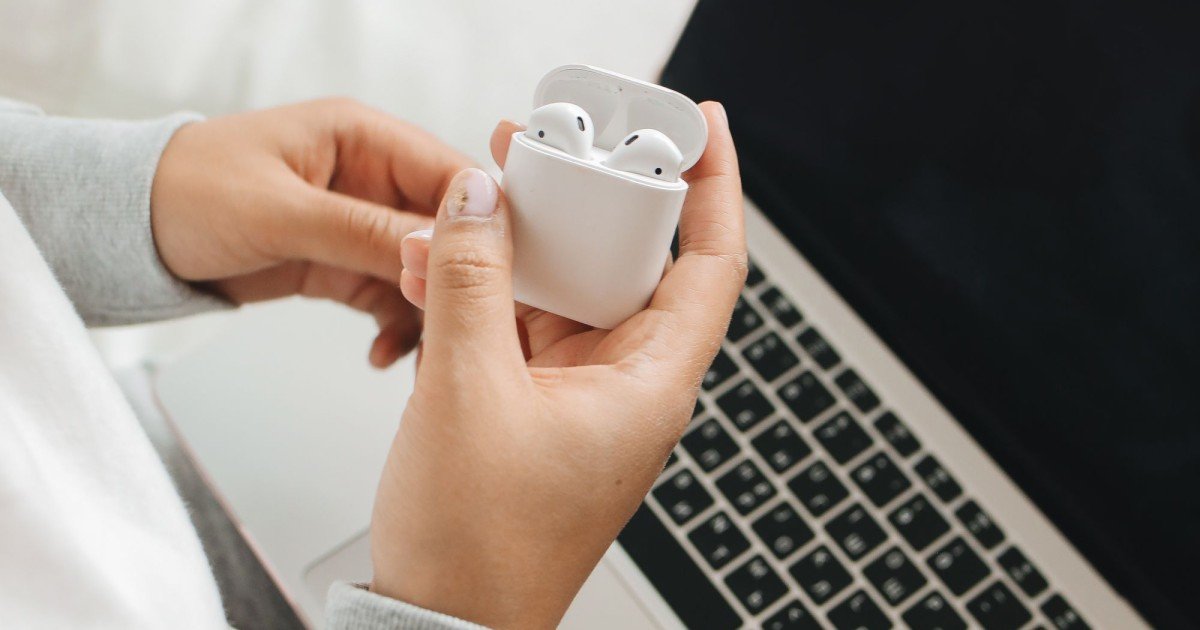
Every time you connect wireless earbuds to a smartphone, move a photo between devices, use a wireless keyboard, or control a smartwatch, you are relying on a technology designed to make short-range communication almost invisible. But how does Bluetooth connect devices without cables? Bluetooth uses low-power radio communication in the 2.4 GHz frequency range to exchange digital information between compatible devices. Instead of requiring a physical wire, Bluetooth devices discover one another, establish a connection, agree on how they will communicate, and then exchange data through carefully managed radio signals.
The process may look simple from the outside, but there is quite a lot happening underneath. Your phone and earbuds have to identify each other, establish trust, negotiate communication parameters, and continuously coordinate their wireless transmissions. All of this can happen in seconds.
Bluetooth has also evolved considerably. Modern versions are designed to support everything from headphones and keyboards to health accessories, location-related applications, smart-home devices, industrial equipment, and low-power sensors.
Understanding how Bluetooth works makes everyday wireless technology much easier to understand. It also explains why pairing is sometimes necessary, why devices have limited range, why Bluetooth can coexist with Wi-Fi, and why newer Bluetooth features can behave very differently from the wireless connections people used years ago.
What Is Bluetooth and Why Was It Created?
Bluetooth is a short-range wireless communication technology designed to allow electronic devices to exchange information without a physical cable.
The basic idea is straightforward.
Instead of connecting two devices with a wire, both devices use radio transmitters and receivers to communicate through the air.
A Bluetooth connection can be used for many purposes, including:
- Connecting wireless headphones to a phone
- Connecting a mouse or keyboard to a computer
- Linking a smartwatch with a smartphone
- Connecting speakers to media devices
- Exchanging information between compatible devices
- Connecting sensors and low-power accessories
- Supporting certain location and proximity applications
Bluetooth is especially useful when devices are relatively close together and need a convenient, low-power wireless connection.
It is different from Wi-Fi, even though both technologies use radio waves.
Wi-Fi is generally intended for networking and higher-throughput communication, while Bluetooth was designed around short-range personal connections and efficient communication between nearby devices.
How Does Bluetooth Connect Devices Without Cables?
Bluetooth connects devices by using radio waves to exchange digitally encoded information.
A simplified version of the process looks like this:
- Bluetooth is enabled on the devices.
- One device may search for nearby compatible devices.
- The devices identify themselves through Bluetooth discovery mechanisms.
- The user selects a device when pairing is required.
- The devices establish authentication and security procedures.
- They negotiate how communication will take place.
- Radio signals are exchanged over the Bluetooth connection.
- Digital information is transmitted and interpreted by the receiving device.
The key idea is that Bluetooth converts digital information into radio-frequency signals and then reconstructs that information at the receiving device.
Your earbuds do not receive a physical stream of music through the air. Instead, your phone processes audio data and sends wireless information according to Bluetooth communication rules. The earbuds receive the radio signal, decode the transmitted information, process the audio, and turn it into sound.
The same basic principle applies to other Bluetooth devices, although the specific protocols and data structures vary depending on the application.
How Bluetooth Uses Radio Waves
Bluetooth communicates using radio waves in the 2.4 GHz industrial, scientific, and medical radio band.
This is an important part of the technology because radio waves can carry information through the air.
A Bluetooth radio generates signals at appropriate frequencies, and the transmitter changes characteristics of those signals in ways that represent digital information.
The receiving Bluetooth radio detects those signals and processes them.
Why Use the 2.4 GHz Band?
The 2.4 GHz band is widely used because it provides a practical balance for short-range wireless communication.
It also allows Bluetooth devices to operate without requiring a dedicated physical cable between them.
However, Bluetooth is not the only technology using this area of the spectrum.
Wi-Fi and other wireless technologies can also operate in the 2.4 GHz range.
That means Bluetooth has to be designed to function in an environment where other radio transmissions may be present.
This is one reason Bluetooth includes mechanisms intended to reduce the impact of interference.
What Happens When You Pair Bluetooth Devices?
Pairing is one of the most recognizable parts of Bluetooth.
When you connect a new pair of earbuds to your smartphone, for example, the two devices need to establish a relationship before they can communicate normally.
Pairing is more than simply selecting a device name.
The devices exchange information and establish the necessary security relationship for their connection.
Depending on the Bluetooth technology and device capabilities, pairing can involve different authentication methods.
For example, some devices may simply display a confirmation request, while others may require a code or another form of user confirmation.
The goal is to reduce the possibility of accidentally connecting with the wrong device and to establish appropriate security credentials.
Once pairing has been successfully completed, many devices can reconnect automatically when they are nearby and available.
That is why your wireless headphones can often connect to your phone without requiring you to repeat the entire setup every time.
Pairing vs Connecting: Are They the Same?
Not exactly.
Pairing generally refers to establishing the security relationship and storing the necessary information so devices can recognize and authenticate each other in the future.
Connecting refers to establishing an active communication link.
You can think of pairing as creating a trusted relationship and connection as actually starting the conversation.
Once two devices have been paired, they may be able to reconnect later without going through the complete pairing procedure again.
This distinction is useful when troubleshooting Bluetooth.
If a device is already paired but refuses to connect, deleting the pairing and starting again can sometimes resolve configuration problems.
However, repeatedly pairing devices is not always necessary. Connection problems can also result from range, interference, battery levels, operating-system settings, competing connections, or device-specific behavior.
How Does Bluetooth Find Nearby Devices?
Before a Bluetooth connection can be established, devices may need to discover one another.
Bluetooth discovery mechanisms allow compatible devices to identify nearby devices that are available for connection.
A smartphone scanning for Bluetooth accessories may detect names or other identifying information associated with nearby devices.
This is why a pair of headphones can appear in your phone’s Bluetooth settings even though there is no cable connecting them.
The discovery process is carefully designed to balance functionality with power consumption.
A device does not necessarily need to continuously transmit at maximum power simply to remain discoverable.
Different Bluetooth modes and technologies use different approaches depending on their intended purpose.
This becomes particularly important for small devices that need to operate for months or years on small batteries.
How Does Bluetooth Send Music to Wireless Earbuds?
Wireless audio is one of the most familiar Bluetooth applications.
Suppose you start playing a song on your smartphone.
The phone receives or accesses digital audio data. The Bluetooth system then prepares the audio information for wireless transmission.
The audio is generally processed using an appropriate Bluetooth audio codec.
The encoded information is transmitted wirelessly to the earbuds.
The earbuds receive the Bluetooth radio signal and decode the transmitted audio information.
That information is then converted into an electrical audio signal that drives the tiny speakers inside the earbuds.
The complete chain can be summarized as:
Audio source → digital processing → Bluetooth transmission → radio signal → earbud receiver → audio decoding → speaker
This happens continuously while you listen.
Because the audio is transmitted digitally, the wireless link must maintain an appropriate balance between data rate, latency, power consumption, and reliability.
That balance can vary depending on the Bluetooth implementation, audio technology, device capabilities, and connection conditions.
Why Doesn’t Bluetooth Use One Constant Radio Frequency?
Bluetooth is designed to operate in a busy radio environment.
Rather than simply transmitting continuously on one fixed frequency, traditional Bluetooth technologies use techniques involving rapid changes among available frequency channels.
This approach is commonly associated with frequency hopping.
The basic idea is that communication moves among different parts of the available spectrum according to an agreed pattern.
If interference affects one portion of the spectrum, the communication can potentially continue using other channels.
Modern Bluetooth technologies have sophisticated mechanisms for managing wireless communication, but the underlying goal remains important: make short-range communication more resilient in a crowded radio environment.
Bluetooth and Frequency Hopping
Frequency hopping helps Bluetooth share the 2.4 GHz environment with other devices.
A Bluetooth connection can rapidly change its operating frequency according to synchronized rules.
The transmitter and receiver know the sequence they are expected to follow.
To an outside observer, the communication may appear as a rapidly changing series of radio transmissions.
To the paired devices, however, it is an organized communication process.
Why Doesn’t Bluetooth Usually Interfere With Wi-Fi?
Bluetooth and Wi-Fi can operate in the same general 2.4 GHz environment.
That might sound like a recipe for constant interference, but wireless technologies are designed with mechanisms that help them coexist.
Bluetooth’s channel-hopping behavior and Wi-Fi’s channel-based communication are fundamentally different approaches.
The actual result depends on factors such as signal strength, distance, network traffic, device design, channel configuration, and environmental conditions.
In a busy apartment or office, however, multiple wireless technologies can still compete for the same general radio resources.
This can sometimes produce noticeable effects.
For example, a crowded 2.4 GHz environment may cause wireless connections to become less efficient.
That is one reason some users prefer 5 GHz or 6 GHz Wi-Fi for high-bandwidth networking while keeping Bluetooth for nearby accessories.
What Is Bluetooth Low Energy?
One of the most important developments in Bluetooth technology is Bluetooth Low Energy, commonly abbreviated as BLE.
BLE was designed for applications where low power consumption is especially important.
Instead of focusing primarily on continuous high-throughput communication, BLE can support devices that wake up, transmit or receive small amounts of information, and return to a low-power state.
This is extremely useful for battery-powered sensors and accessories.
Examples can include:
- Fitness sensors
- Smart buttons
- Environmental sensors
- Wearable devices
- Smart-home accessories
- Medical and wellness-related devices
- Location-related tags
- Industrial sensors
The ability to communicate while consuming relatively little power has helped Bluetooth become much more important than simply a technology for wireless headphones.
Bluetooth Classic vs Bluetooth Low Energy
Bluetooth technology is often discussed in terms of Bluetooth Classic and Bluetooth Low Energy.
Bluetooth Classic has traditionally been associated with applications such as continuous audio and certain peripheral connections.
BLE was developed with low-power communication and flexible data exchange in mind.
The distinction matters because a device designed around BLE can behave very differently from traditional Bluetooth audio equipment.
For example, a small sensor may only need to send a few values every few seconds.
It would be inefficient to maintain the same kind of communication approach used for continuously streaming audio.
BLE allows designers to build applications around much smaller and more efficient exchanges of information.
How Bluetooth Sends Small Amounts of Data
Imagine a temperature sensor inside a smart device.
It does not need to continuously transmit a huge stream of information.
Instead, it might measure temperature and periodically send a small data packet.
The receiving device interprets that information and updates an application or another system.
This kind of communication is ideal for low-power wireless technology.
The device can spend much of its time in a low-energy state and become active when communication is necessary.
This is one reason Bluetooth can be practical for small battery-powered devices.
What Are Bluetooth Profiles?
Bluetooth supports many different types of applications, and devices need standardized ways to understand what a particular connection is intended to do.
This is where Bluetooth profiles become important.
A profile describes rules and capabilities associated with a particular type of Bluetooth application.
For example, different profiles or specifications can support use cases involving audio, human-interface devices, health-related data, device discovery, or other functions.
You can think of a Bluetooth profile as a shared language for a specific type of interaction.
The radio connection establishes the communication path, while higher-level Bluetooth specifications define how the devices use that path.
This separation is important.
Simply having two devices that both contain Bluetooth radios does not automatically mean they can perform every possible Bluetooth function together.
Compatibility depends on the technologies and profiles supported by the devices.
How Bluetooth Maintains a Reliable Connection
Wireless communication can be unpredictable.
People move. Devices move. Objects block signals. Other radio transmissions appear. Batteries become low. The distance between devices changes.
Bluetooth therefore includes mechanisms that help manage communication reliability.
Depending on the Bluetooth technology and application, the system can use error detection, acknowledgements, retransmissions, adaptive channel behavior, and other techniques.
The exact behavior varies by Bluetooth version, profile, and implementation.
The important concept is that Bluetooth is not simply transmitting information blindly.
The devices continuously follow communication rules designed to keep the connection usable.
Why Does Bluetooth Have a Limited Range?
Bluetooth is generally intended for relatively short-range communication.
Range depends on much more than the Bluetooth version printed on a device.
Important factors include:
- Transmit power
- Antenna design
- Receiver sensitivity
- Device orientation
- Physical obstacles
- Frequency environment
- Interference
- Regulatory limits
- Bluetooth implementation
- The specific Bluetooth mode being used
A phone in your pocket and wireless earbuds can communicate successfully because they are usually only a short distance apart.
As you move farther away, the radio signal becomes weaker.
Eventually, the receiving device may no longer be able to reliably distinguish the intended signal from background noise and interference.
This is why Bluetooth range should never be treated as one universal number.
Two devices using the same general Bluetooth technology can have noticeably different real-world performance.
Why Do Bluetooth Devices Sometimes Disconnect?
A Bluetooth disconnection does not necessarily mean the technology has failed.
Several things can cause a connection to drop.
The most common possibilities include:
Distance: Moving beyond the practical range weakens the signal.
Obstacles: Walls, furniture, and other materials can reduce signal strength.
Interference: Other radio transmissions can make communication less reliable.
Battery level: Some devices change behavior when battery power becomes low.
Multiple connections: A device may have limitations regarding how many active Bluetooth connections or roles it can support.
Software problems: Firmware or operating-system issues can occasionally interfere with normal operation.
Pairing problems: Stored connection information can sometimes become inconsistent.
A practical troubleshooting approach is to move the devices closer together, check battery levels, temporarily disconnect other Bluetooth accessories, restart the relevant devices, and if necessary remove the existing pairing and pair them again.
Is Bluetooth Secure?
Bluetooth security has evolved alongside the technology.
Modern Bluetooth systems can use authentication and encryption mechanisms designed to protect wireless communication and help prevent unauthorized access.
However, security depends on the devices, configuration, supported security mechanisms, and the specific Bluetooth application.
Users should avoid treating Bluetooth as automatically secure simply because it is wireless.
Good security practices still matter.
Keeping devices updated, using modern security settings, avoiding unnecessary discoverability, and paying attention to unexpected pairing requests are sensible habits.
The security experience also differs depending on the device category.
A wireless keyboard, a pair of headphones, a sensor, and a specialized industrial device may use Bluetooth in very different ways.
Can Bluetooth Work Without the Internet?
Yes.
This is one of the easiest ways to understand the difference between Bluetooth and internet connectivity.
Bluetooth does not require an internet connection for two compatible devices to communicate locally.
Your phone can connect to wireless earbuds even when the phone has no internet service.
A Bluetooth keyboard can communicate with a computer without the computer being online.
A compatible sensor can send information to a nearby device without necessarily sending anything to the internet.
The internet may become involved later if an application uploads information to a cloud service, synchronizes data, or accesses an online resource.
But the Bluetooth connection itself can remain entirely local.
Bluetooth vs Wi-Fi: What Is the Difference?
Bluetooth and Wi-Fi both provide wireless communication, but they solve different problems.
| Feature | Bluetooth | Wi-Fi |
|---|---|---|
| Typical purpose | Personal device connections | Local networking and internet access |
| Common range | Short range | Often longer within a local environment |
| Power focus | Strong emphasis on low-power options | Generally higher power requirements |
| Typical devices | Earbuds, keyboards, sensors, watches | Phones, laptops, TVs, routers |
| Internet required | No | No, but commonly used for internet access |
| Spectrum | Commonly uses 2.4 GHz | Uses 2.4 GHz, 5 GHz and, where supported, 6 GHz |
| Typical use | Accessories and personal devices | Network connectivity |
These categories overlap in some modern applications, but the basic distinction remains useful.
Bluetooth is excellent for creating a personal wireless connection between nearby devices.
Wi-Fi is generally better suited to moving larger amounts of network data and connecting devices to a local network.
How Bluetooth Has Changed in Modern Devices
Bluetooth is no longer just about connecting a phone to a headset.
The technology has expanded into a much broader wireless ecosystem.
Modern Bluetooth applications can involve:
- Wearable electronics
- Smart-home devices
- Sensors
- Digital keys
- Location-related systems
- Audio devices
- Input peripherals
- Industrial monitoring
- Asset-related applications
- Low-power connected products
One important development is the increasing ability to use Bluetooth for communication involving many small devices rather than only one-to-one accessory connections.
Bluetooth’s low-power capabilities have also made it useful in situations where replacing batteries frequently would be inconvenient.
What Is Bluetooth LE Audio?
Bluetooth LE Audio is an important development in Bluetooth’s audio ecosystem.
It uses Bluetooth Low Energy technology for audio applications and introduces capabilities designed to improve flexibility and efficiency.
One notable component is LC3, an audio codec designed for Bluetooth LE Audio.
LE Audio also supports concepts such as broadcast audio, which can enable one audio source to transmit to multiple compatible receivers in appropriate scenarios.
This can open possibilities beyond the traditional model of connecting one phone to one pair of headphones.
As compatible products become more common, Bluetooth audio can continue moving beyond the limitations of older approaches.
Why Bluetooth Is So Convenient
The biggest advantage of Bluetooth is not raw speed.
It is convenience.
A cable can physically connect two devices, but it can also create clutter, restrict movement, and require compatible ports.
Bluetooth removes that physical connection.
You can place your phone on a desk while wearing earbuds across the room. You can use a wireless mouse without dragging a cable across the table. You can connect a keyboard without dedicating a USB port to a physical wire.
For small accessories, this convenience is difficult to replace.
The technology succeeds because it largely disappears from the user’s attention.
When Bluetooth works well, you simply turn on your device and continue using it.
Practical Tips for Better Bluetooth Performance
If you want more reliable Bluetooth connections, a few simple habits can help.
Keep Devices Relatively Close
Bluetooth is designed for short-range communication. Keeping connected devices reasonably close can improve reliability.
Avoid Unnecessary Obstacles
Dense materials and metal objects can affect radio signals. Keeping the devices away from major obstructions can help.
Keep Firmware Updated
Manufacturers sometimes release updates that improve compatibility, reliability, power management, or security.
Remove Old Pairings When Necessary
If a device repeatedly refuses to connect, removing the saved pairing and setting it up again can sometimes clear a configuration problem.
Watch for Radio Congestion
Bluetooth shares the wireless environment with other technologies. A heavily congested 2.4 GHz environment can sometimes affect performance.
Check Battery Levels
Low-power behavior can affect some Bluetooth accessories, particularly small devices designed to conserve energy aggressively.
What Does the Future of Bluetooth Look Like?
Bluetooth is becoming increasingly important as more everyday objects gain wireless capabilities.
The future is likely to involve a broader mixture of audio, sensors, smart-home controls, location-related functions, wearables, and low-power devices.
The most interesting change is that Bluetooth is increasingly becoming an infrastructure technology rather than merely an accessory technology.
A wireless earbud connection is easy to understand because there is an obvious relationship between two devices.
But Bluetooth can also support environments containing many small sensors and devices that communicate with phones, computers, gateways, or other systems.
That creates opportunities for smarter environments without requiring every device to have a large battery or direct internet connection.
This broader shift is also connected to the growth of intelligent software systems. As connected devices become more capable, they can provide information to applications that automate tasks and make decisions. Readers interested in that broader evolution can learn more from What Is Agentic AI? How AI Agents Work and What They Can Do.
For readers exploring how conversational systems differ from AI systems that can perform actions, AI Agents vs Chatbots: What Is the Difference and Which Is Better? offers useful additional context.
Frequently Asked Questions
How does Bluetooth connect devices without cables?
Bluetooth uses short-range radio communication to exchange digital information between compatible devices. The devices discover each other, establish the required security relationship, create a connection, and transmit data through radio signals.
Does Bluetooth use Wi-Fi?
No. Bluetooth and Wi-Fi are separate wireless technologies. They can operate in the same general 2.4 GHz environment, but they use different communication systems and are designed for different purposes.
Does Bluetooth need the internet?
No. Bluetooth devices can communicate directly with each other without an internet connection. The internet may be used by an application separately, but it is not required for the Bluetooth radio connection itself.
How far can Bluetooth reach?
Bluetooth range varies according to device power, antenna design, receiver sensitivity, obstacles, interference, environmental conditions, and the particular Bluetooth technology being used. There is no single range that applies to every Bluetooth device.
Why does Bluetooth sometimes disconnect?
Bluetooth can disconnect because of distance, obstacles, radio interference, low battery, software problems, pairing issues, or device limitations. Moving devices closer and restarting or re-pairing them can sometimes resolve the issue.
Is Bluetooth safe to use?
Bluetooth uses low-power radio communication and is designed for short-range wireless connections. Modern Bluetooth security mechanisms can provide authentication and encryption, although users should still keep devices updated and use appropriate security settings.
Can Bluetooth connect multiple devices?
Yes, Bluetooth technology supports different connection arrangements depending on the Bluetooth version, profiles, and device capabilities. Some devices can maintain connections with multiple accessories or support more advanced communication scenarios.
Why does Bluetooth use 2.4 GHz?
Bluetooth uses the 2.4 GHz ISM band because it provides a widely available radio environment suitable for short-range wireless communication. Bluetooth includes techniques designed to operate effectively despite the presence of other devices using the same general spectrum.
What is Bluetooth Low Energy?
Bluetooth Low Energy is a Bluetooth technology designed for efficient wireless communication, particularly for devices that need to conserve battery power. It is widely used for sensors, wearables, smart accessories, and other low-power applications.
Is Bluetooth faster than Wi-Fi?
Generally, Wi-Fi is designed for substantially higher network throughput, while Bluetooth prioritizes short-range connectivity and, in many applications, low power consumption. The appropriate technology depends on what the device needs to accomplish.
How Bluetooth Connects Devices Without Cables
The answer to how Bluetooth connects devices without cables comes down to a sophisticated combination of radio communication, digital encoding, device discovery, pairing, authentication, frequency management, error handling, and application-specific protocols.
When your earbuds connect to your phone, there is no physical path carrying the music from one device to the other. Instead, the devices use radio waves to exchange carefully structured digital information.
Your phone and earbuds recognize each other, establish the appropriate relationship, and continuously coordinate their communication. The radio signal carries encoded information through the air, while Bluetooth’s protocols help the devices understand what that information means and how it should be handled.
What makes Bluetooth particularly impressive is its versatility. The same broad technology family can support headphones, keyboards, watches, sensors, smart-home accessories, location-related applications, and many other connected devices.
The next time your wireless headphones start playing the moment you put them on, remember that a tiny radio conversation is taking place around you. Bluetooth makes that conversation simple enough for everyday life, while sophisticated technology works quietly in the background to keep it connected.
Informational Disclaimer: This article is provided for general educational purposes. Bluetooth features, specifications, device compatibility, security mechanisms, and wireless performance can vary by product, software, region, and implementation and may change as technology evolves.





Leave a Reply